Part 2 – An editor for “*.Datadict” and “*.Textdict” files
If you missed the other parts, they can be found here:
- Part 1 – Reverse engineering datadict files – https://overkillscripting.home.blog/2021/01/24/hero-to-the-downtrodden-reverse-engineering-and-improving-deathspank/
I’ve spent the last few weeks developing an editor that has the capability to edit Deathspank’s datadict files. Because I spent the last post describing why this editor was necessary, this post will mostly describe how to use the program, where you can download the executable and where you can view the source code for the program.
Behold, in all its glory!
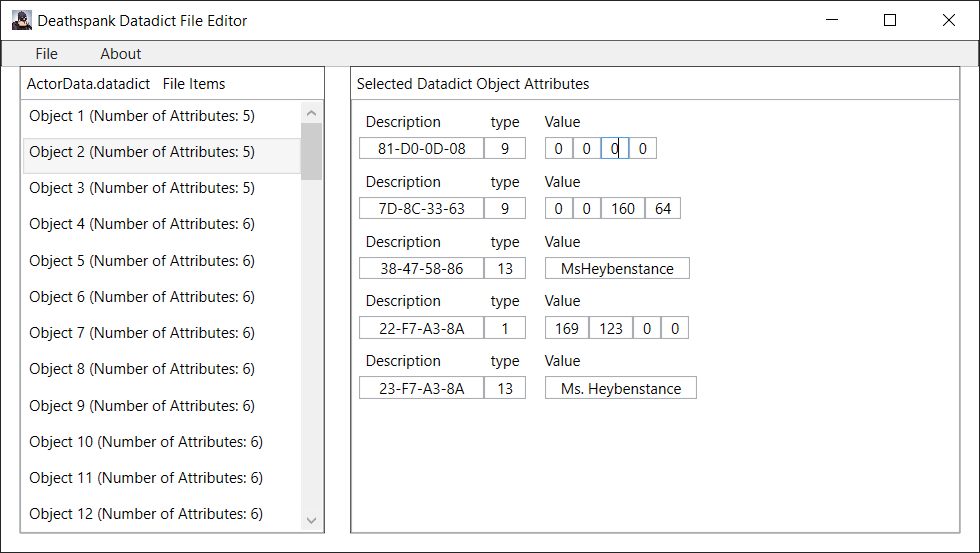
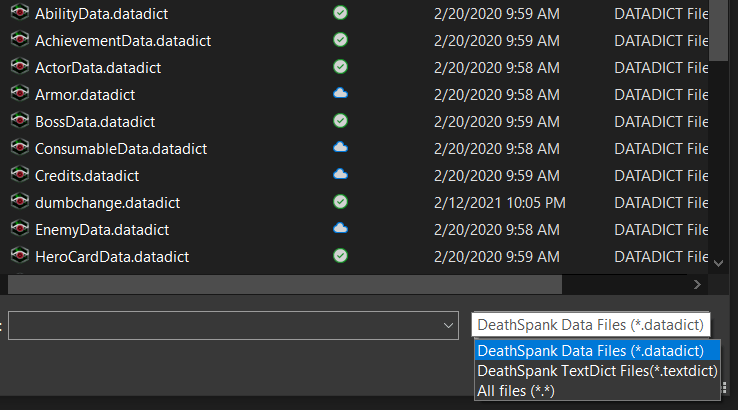
Alright, alright, I know it’s not much to look at, but you know what they say about getting what you pay for. The main toolbar has two menus. In the File menu you will find the option to open a file. By default, the file filter is set to only show files with a .datadict file extension. There are two additional filers that can be selected, one for .textdict files and one for all files. Even though the all files filter is available, I did my best to only allow a valid file to be opened by checking the header field of the file that is being opened.
When a valid file is opened, the listbox on the left side of the window will populate with a list item for every object described in the file. When you select any of those objects, the attributes for that object will populate in the listbox on the right side of the window. Depending on the type of value each object has (4 bytes, 8 bytes, 16 bytes, string), you will see a different item template in the listbox. In the image above you can see examples of editable 4 byte and string values. A byte array to ASCII string converter was used to allow easier editing of sting values.
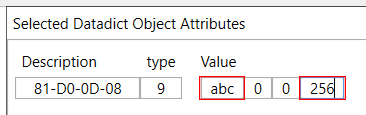
Because the editable value fields are bound to specific data types, you will see a red box around any field that contains an improper value, e.g. one that is of of range for a byte. Improper values will not be saved to the output file. I also made a choice to display the editable bytes in decimal form for those who don’t care to learn or deal with hexadecimal formatting. As I note at the end of the post, I’ll be putting in a toggle in the menu to allow the user to edit values in decimal or hexadecimal format.
Once you’ve edited all of the values you want to change, you can create a new file (or overwrite an existing file) by using the “File” >> “Save as” menu option. The Editor was programmed to read both the original datadict file structure and my new datadict file structure outlined in the last post. Regardless of which type of file was opened, this editor will output files that are in the new datadict format that doesn’t contain any form of compression/de-dupe so every attribute value in the file is unique and can be edited independently.
I’ve posted my source code on github for those of you who are interested. I’d love any constructive feedback if you have some. Remember I have absolutely zero formal programming training, so please be kind 🙂 .
Here is a direct link to the github page where the executable is hosted: https://github.com/JT-4/Deathspank-Datadict-Editor/releases
Source code: https://github.com/JT-4/Deathspank-Datadict-Editor
While I have done a bit of work with modifying file values, I certainly don’t know what every attribute does or how changing them affects things in-game. However here are a few fun things I have figured out.
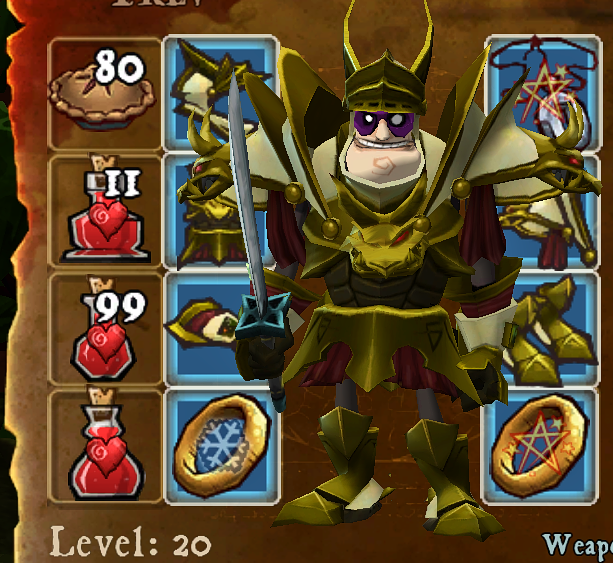
Let consumable items like potions, black holes, heck from heaven etc. stack up to 99 and remove the 5 item inventory limit
In the consumables.datadict (potions) and abilitydata.datadict (one time use items) files, find the item you want to modify. Change the attribute “99-2E-83-95” to the following byte values: 0,0,240,65
Increase the strength of the level 3 spinning sword
In the abilitydata.datadict file find the level three spinning sword object. Change the attribute “72-8C-3C-B1” to the following byte values: 0,0,176,65 to give the sword 1760 damage
Sometimes you just get lucky
By a stroke of luck, the game uses the same basic binary format for its textdict files that it uses for its datadict files. This means if you use a .gg archive unpacker to extract the textdict files (these files contain all of the dialog options in the game) you can use this editor to create a region-specific localization/translation of the game relatively easily.
Future improvements for the editor
I’ve used this editor to make a few simple edits so far and after doing so I’ve realized there are a few quality of life improvements I want to make.
- I’d like to make a search box that will allow you to type a word and search through all of the objects to make finding what you are looking for easier.
- I want to create a button to the right side of each editable value. Clicking this button will allow you to set every attribute value with that description to the value you’ve input for that attribute.
- A menu toggle to switch between editing byte values in decimal and hexadecimal formatting.
Let me know down below if you have any ideas on how to make this better!
Editor: https://github.com/JT-4/Deathspank-Datadict-Editor/releases
Source code: https://github.com/JT-4/Deathspank-Datadict-Editor
 Overkill Scripting